How to Distinguish Anime, Manga, and Games With the Same Title Using the Production Company and Release Year
Searching for popular entertainment franchises in Korea can quickly become confusing. If you search for hit titles like Uma Musume, Fate/stay night, or Solo Leveling on digital platforms, you will be confronted with mobile games, 24-episode animated TV shows, printed comic books, and web novels—all sharing the exact same title logo and visual artwork.
This identical naming convention happens because popular stories are adapted across multiple formats at the same time to reach different audiences.
Without checking specific information tags, it is very easy to accidentally buy a comic book when you actually wanted to download a mobile game. This guide shows you how to check company names, use release years, and read story descriptions so you never click the wrong version again.
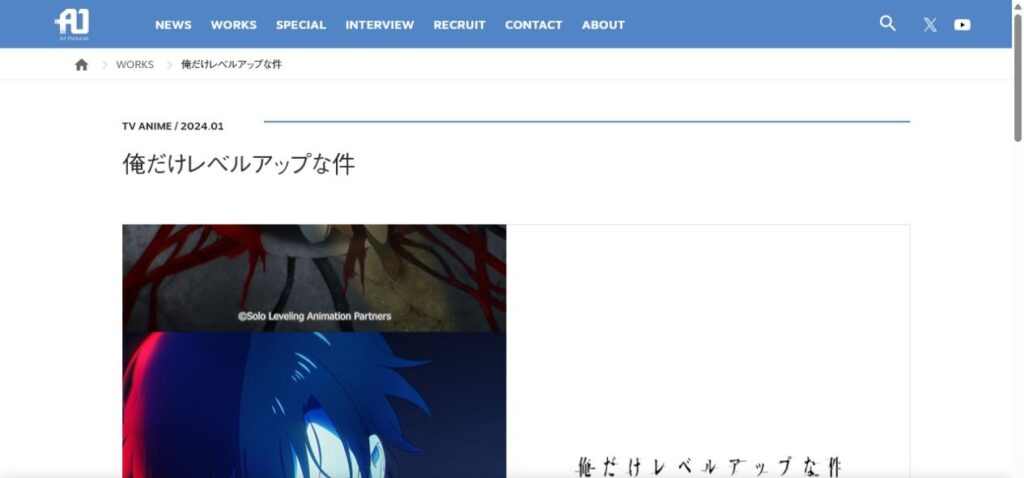
Why does one title exist as an anime, a manga, and a game?
Understanding why a single title expands into different media formats helps you navigate online search results much faster.
Original stories versus adaptations
Most popular stories start in one primary format—known as the original work (원작). For example, a story might start as a mobile phone game or a web novel.
Once that original story becomes a big hit, companies license the rights to animation studios and book publishers to create animated TV shows and printed comic books based on that same story.
Why cover art and logos look identical
To make sure fans recognize the brand everywhere, companies use the exact same logo fonts, color schemes, and character drawings across all versions. Because the artwork looks identical, relying only on cover pictures when browsing platforms like Ridibooks or Steam will often cause you to buy the wrong format.
How to check company names to know if it is a show, comic, or game
The fastest way to identify what format you are looking at is to check the company name listed on the page. Animated shows, video games, and books are made by completely different types of companies.
Use this quick information table to identify the format on Korean digital platforms:
| Format | Platform in Korea | Information tag | Company type | Example companies |
| Anime (애니) | Laftel / TVING | 제작: (Produced by) | Animation studio | ufotable, MAPPA, Bones |
| Game (게임) | Google Play / Steam | 개발사/배급사 (Dev/Publisher) | Game developer / Publisher | Cygames, Shift Up, Bandai Namco |
| Comic/Web novel (웹툰/소설) | Ridibooks / KakaoPage | 출판사 (Publisher) | Book publisher | D&C Media, Kadokawa |
Checking animation studio names for shows
When browsing video platforms like Laftel (라프텔) or TVING, look at the detail info section for the 제작: (Produced by) tag. If the listed company is an animation studio such as ufotable, MAPPA, or Studio Bones, you are looking at an animated show or movie.
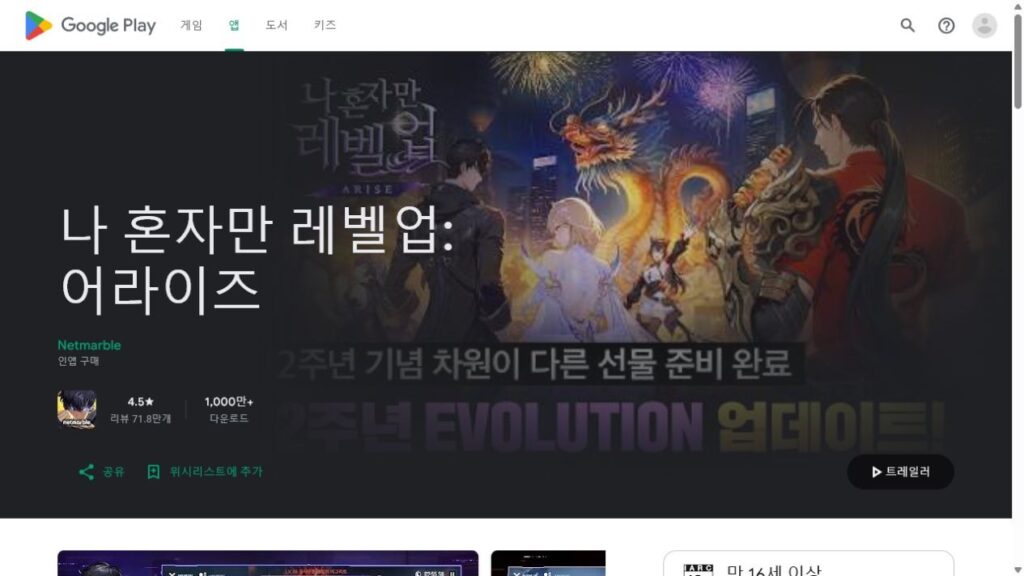
Checking developer names on app stores for games
When searching on mobile app stores or PC platforms like Steam, look for the 개발사 (Developer) or 배급사 (Publisher) fields. If the company listed is a video game maker like Cygames, Shift Up, or Bandai Namco, you are looking at a playable video game.
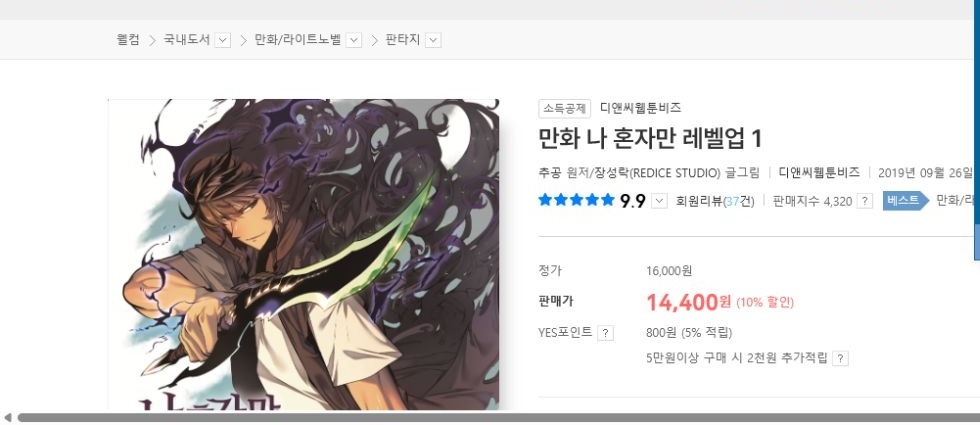
Checking publisher names for comics and books
When browsing reading apps like Ridibooks (리디) or KakaoPage, look for the 출판사 (Publisher) tag. Companies like D&C Media or Kadokawa specialize in printing books, webtoons, and novels.
Using Namuwiki and release years to find the exact version you want
When company names are confusing, checking release dates and using Korea’s main information site, Namuwiki (나무위키), gives you an easy way to verify what you are looking at.
Checking information boxes on Namuwiki
Namuwiki is the most popular search wiki in Korea. Search the title on Namuwiki and look at the box in the top-right corner of the screen.
Namuwiki neatly separates different versions into tabs labeled “Original” (원작), “Animation” (애니메이션), and “Comic” (코믹스). Clicking these tabs instantly tells you which version came out first and lists the exact companies behind each one.
Using release years to tell versions apart
Adaptations are almost never released in the same year as the original story. For example, if a web novel came out in 2018, its animated show came out in 2021, and its mobile game came out in 2023, checking the release year on your app screen against Namuwiki will instantly tell you which version you are about to open.
Quick tips for reading story descriptions so you do not download the wrong format
If you are looking at a page that does not clearly list company names or release years, reading the first two sentences of the story description will tell you what it is.
- Words that mean it is a game: Look for action words about playing, such as “turn-based battle,” “Gacha,” “character stats,” “controls,” or “level up.”
- Words that mean it is a show or book: Look for storytelling words, such as “24 episodes,” “weekly chapters,” “TV broadcast,” “volume,” or “reading.”